Semantic Knowledge Graph
The Context Studio graph that maps semantic-layer objects and their relationships, powering Lineage and Impact Analysis.
When to use it — To see which objects exist in the graph, confirm the relationships behind Lineage and Impact Analysis, and rebuild those relationships after a round of modeling.
Where to find it — Context Studio → Knowledge Graph tab.
Who can use it — Luminary and Weaver can view the graph; only Luminary can run Rebuild graph.
The Knowledge Graph is the semantic-object graph for your workspace. It records each modeling object as a node grouped by its type, and the edges that connect them — for example, a reveal that depends on a node, or a mosaic that uses a reveal. These edges are the data that Lineage and Impact Analysis read when they trace what feeds an object and what would break if you change it.
This is the semantic knowledge graph — objects in your data model. It is not the Business Knowledge Graph of People, Teams, Goals, and OKRs, which lives at Knowledge Graph under Building. Different feature, different data. This page is only about the semantic-object graph in Context Studio.
Overview
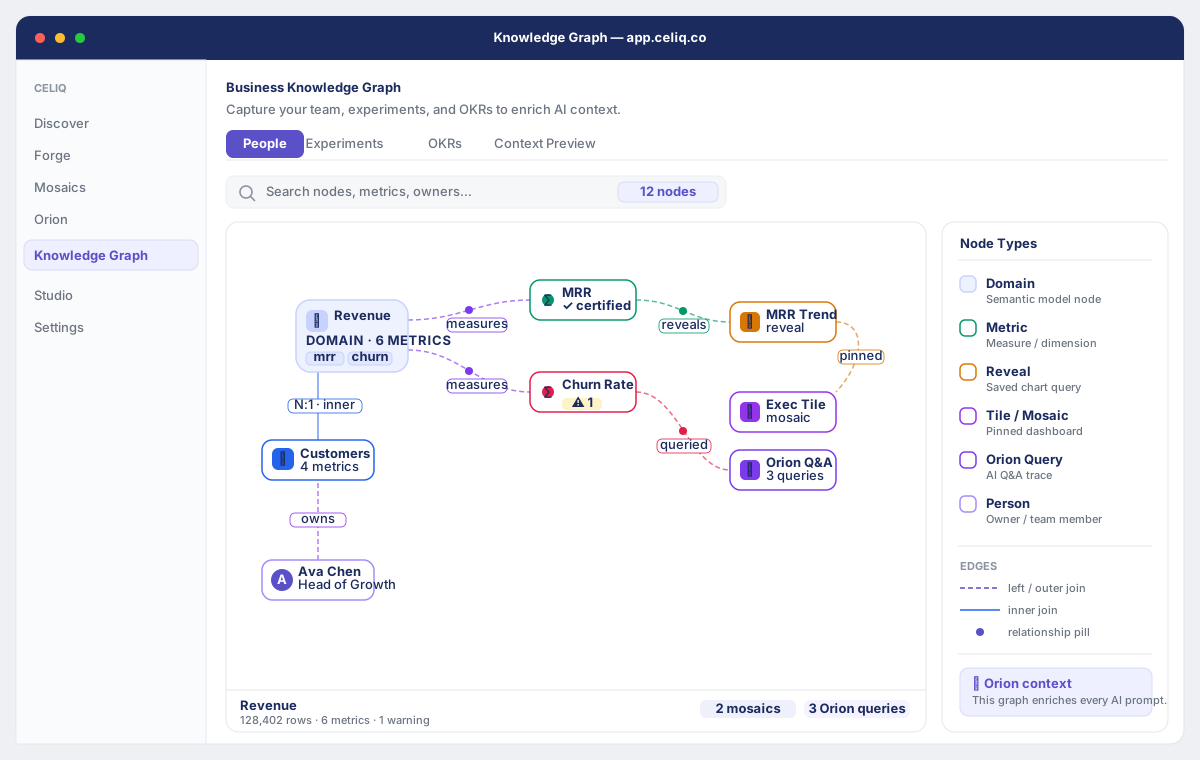
The graph tab lists every object that participates in at least one relationship, grouped under an uppercase heading for its object type (for example reveal, mosaic, node) with a count of how many objects fall under that type. Each object is shown as a small chip labelled with its object id.
You don't draw this graph by hand. It populates as you build — when you create reveals, build mosaics that pin those reveals, and configure connections, Celiq derives the relationship edges between those objects. The Knowledge Graph tab reads back the set of objects that appear on either end of an edge, so an empty graph simply means no relationships have been derived yet.
Because every Lineage and Impact Analysis lookup walks these same edges, keeping the graph current is what keeps those two features accurate. When the underlying model has changed and the derived edges are stale, a Luminary runs Rebuild graph to re-scan the semantic layer and regenerate them.
When to use it
- To confirm an object is actually represented in the graph before you rely on its Lineage or Impact Analysis.
- To get a quick inventory of which reveals, mosaics, and nodes are connected across the semantic layer.
- To rebuild the derived relationships after creating or editing reveals and mosaics, so Lineage and Impact Analysis reflect the current model.
- To sanity-check that a newly built reveal or mosaic shows up in the graph after you save it.
Concepts
| Term | Meaning |
|---|---|
| Object | A single semantic-layer item that appears in the graph, identified by an object id. |
| Object type | The category an object belongs to (for example reveal, mosaic, node). Objects are grouped by type in the listing. |
| Edge | A directed relationship from a source object to a target object, with a relationship type. |
depends_on | A derived edge from a reveal to the node it is built on. |
uses | A derived edge from a mosaic to a reveal it pins as a tile. |
| Derived edges | The depends_on and uses edges Celiq generates automatically from your reveals and mosaics. |
| Rebuild | The Luminary-only action that re-scans the semantic layer and regenerates the derived edges. |
Getting started
Prerequisites- You are signed in as a Luminary or Weaver. (Lens and Tracer don't have access to Context Studio.)
- You have built at least one reveal or mosaic, so there are relationships for the graph to derive. The Rebuild graph action is available only to Luminary.
Open Context Studio
From the main navigation, go to Context Studio (/context-studio).
Select the Knowledge Graph tab
In the Context Studio sidebar, click Knowledge Graph. The subtitle reads "Object relationships tracked across your semantic layer."
Review the object listing
The graph loads and shows your objects grouped by type, each with a count. While it loads you'll see "Loading graph…".
Step-by-step
Read the object groups
Objects are grouped under an uppercase type heading (for example REVEAL (12)). Each chip under a heading is one object, labelled with its object id.
Handle an empty graph
If you see "Graph is empty.", the graph hasn't derived any relationships yet. The hint explains it "populates as you create mosaics, reveals, and configure connections." Build something, or have a Luminary run a rebuild to scan now.
Rebuild the graph (Luminary only)
If you're a Luminary, click Rebuild graph in the top-right of the tab. The button shows "Rebuilding…" while it runs. The rebuild re-derives depends_on (reveal → node) and uses (mosaic → reveal) edges from your current reveals and mosaics.
Confirm completion
When the rebuild finishes, a green Rebuilt indicator appears briefly and the object listing refreshes with the regenerated set.
Verify downstream features
Open Lineage or Impact Analysis for an object to confirm the relationships now reflect your latest model.
Examples
You build a reveal called orders on a node, then pin it as a tile in a mosaic called Exec Overview. After saving, a Luminary opens the Knowledge Graph tab and runs Rebuild graph. The scan derives:
- a
depends_onedge from theordersreveal to its underlying node, and - a
usesedge from theExec Overviewmosaic to theordersreveal.
The object listing then groups the participating objects by type — the reveal, the node, and the mosaic each appear under their own heading.
Conceptually, the derived edges look like this:
mosaic:Exec Overview --uses--> reveal:orders
reveal:orders        --depends_on--> node:<orders node>
Reading the same relationships from the object's point of view, Lineage and Impact Analysis split them into:
outbound:  edges where this object is the source (what it leads to / uses)
inbound:   edges where this object is the target (what points at it)
That inbound/outbound split is exactly what powers "what does this depend on" (Lineage) and "what breaks if I change this" (Impact Analysis).
Best practices
- Rebuild after a modeling session. Create or edit your reveals and mosaics first, then rebuild once so the derived edges reflect the finished state.
- Check the graph before trusting Lineage or Impact Analysis. If an object isn't in the listing, downstream traces for it will be empty — rebuild first.
- Treat the graph as derived, not authored. You don't add objects by hand in this tab; you build reveals and mosaics and let the rebuild derive the relationships.
- Coordinate the rebuild. Since only Luminary can rebuild, agree on who runs it after a Weaver finishes a batch of modeling.
Tips
The rebuild is non-destructive to your model — it only regenerates the derived depends_on and uses edges. It re-scans your existing reveals and mosaics; it does not change, delete, or create any reveals, mosaics, or nodes.
Common mistakes
- Confusing it with the Business Knowledge Graph. People/Teams/Goals/OKRs live at Knowledge Graph under Building — not here.
- Expecting the graph to update instantly after building. New reveals and mosaics show up once their edges are derived; if they're not visible, run Rebuild graph.
- A Weaver waiting on the Rebuild button. Weavers can view the graph but cannot rebuild it. Ask a Luminary to run the rebuild.
- Reading an empty graph as broken. "Graph is empty." usually just means nothing has been modeled or rebuilt yet — not an error.
Troubleshooting
| Symptom | Likely cause | Fix |
|---|---|---|
| "Loading graph…" stays on screen | The graph data hasn't returned yet | Wait a moment; if it persists, refresh the page. |
| "Graph is empty." | No relationships have been derived yet | Build reveals and mosaics, then have a Luminary click Rebuild graph. |
| A new reveal or mosaic isn't listed | Its edges haven't been derived since you saved | Run Rebuild graph to re-scan the semantic layer. |
| No Rebuild graph button | You're signed in as a Weaver (rebuild is Luminary-only) | Ask a Luminary to run the rebuild. |
| Button stuck on "Rebuilding…" then no change | The rebuild runs in the background and the listing refreshes when it returns | Wait for the green Rebuilt indicator, then re-check; refresh if needed. |
| Lineage / Impact Analysis looks stale or empty | The derived edges are out of date | Rebuild the graph, then re-open Lineage or Impact Analysis. |